Unlock the desk and start a session
Get from a locked tablet to an open desk in two taps and a PIN.
Who can do this: desk volunteers on an enrolled tablet; coordinators and admins anywhere.
Steps: unlock the desk
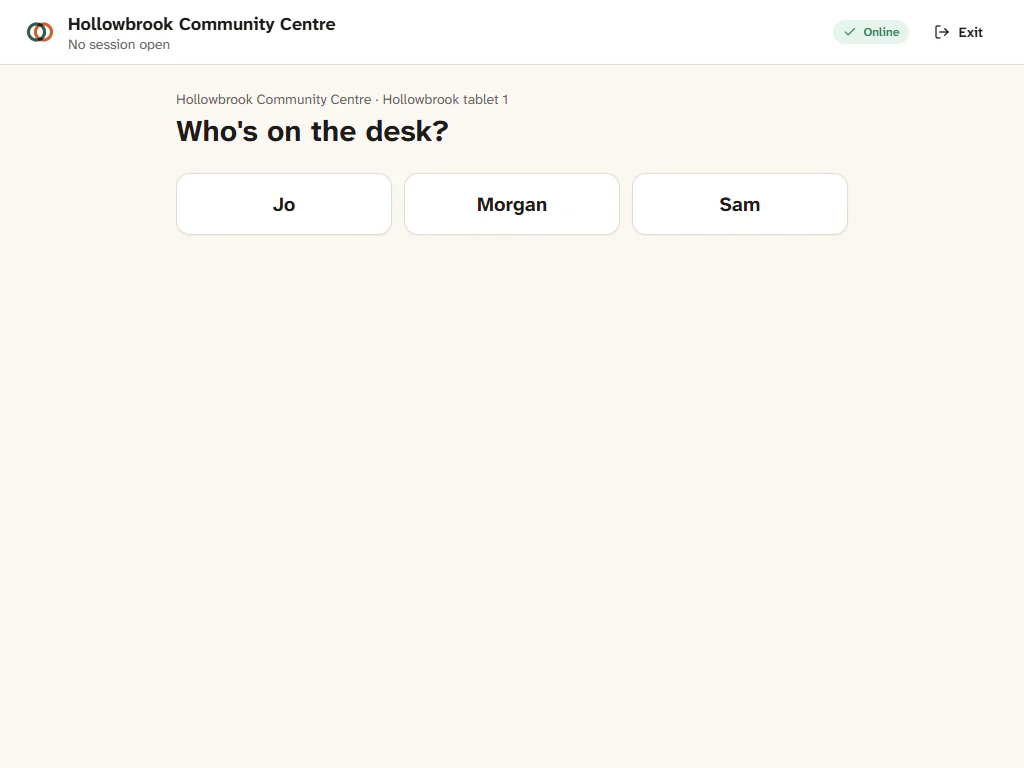
- Open the desk on the tablet. It shows Who's on the desk? with a button for each volunteer.
- Tap your name.
- Type your PIN and press Enter.
If a session is open at this site, you go straight into it, at the stage it is in: usually Pack before opening time, or Desk once it is open. The scan bar says "Scan a member card to lend, or scan a returned item."
Steps: open the desk after packing
- In the header, the stage shows Pack. When you are ready for families, press Open desk.
- The desk is now open. Scan a member card or a returned toy to begin.
Steps: no session is planned
Sometimes the library opens when there is no session in the calendar, such as an extra Wednesday.
- Unlock the desk as above.
- The desk says no session is open and offers to start one now. Press the button.
A session starts now at this tablet's site, for two hours, and the desk opens straight away. If a session already covers this time, Gizzago opens that one instead of making a second.
Steps: for coordinators, from your laptop or phone
- When a session at your site is about to start or is running, the top bar shows a button: Pack, Open desk or Cash up. Press it. The same buttons are on the session cards on Today.
- To start a session that is not in the calendar, go to Calendar, press Add session, then Start session now at your site. Or type "start session now" in the search box at the top.
The session screen shows Exit in its header for coordinators, which takes you back to the rest of Gizzago.
If you typed the wrong PIN
After five wrong PINs, that volunteer is locked out for 15 minutes. Another volunteer can still unlock the desk. If you have forgotten your PIN, ask an admin to set a new one in Settings > Team and devices.