Cash up and close the session
Close the session properly, so the money adds up and the next team knows what happened.
Who can do this: desk volunteers, coordinators and admins.
Steps
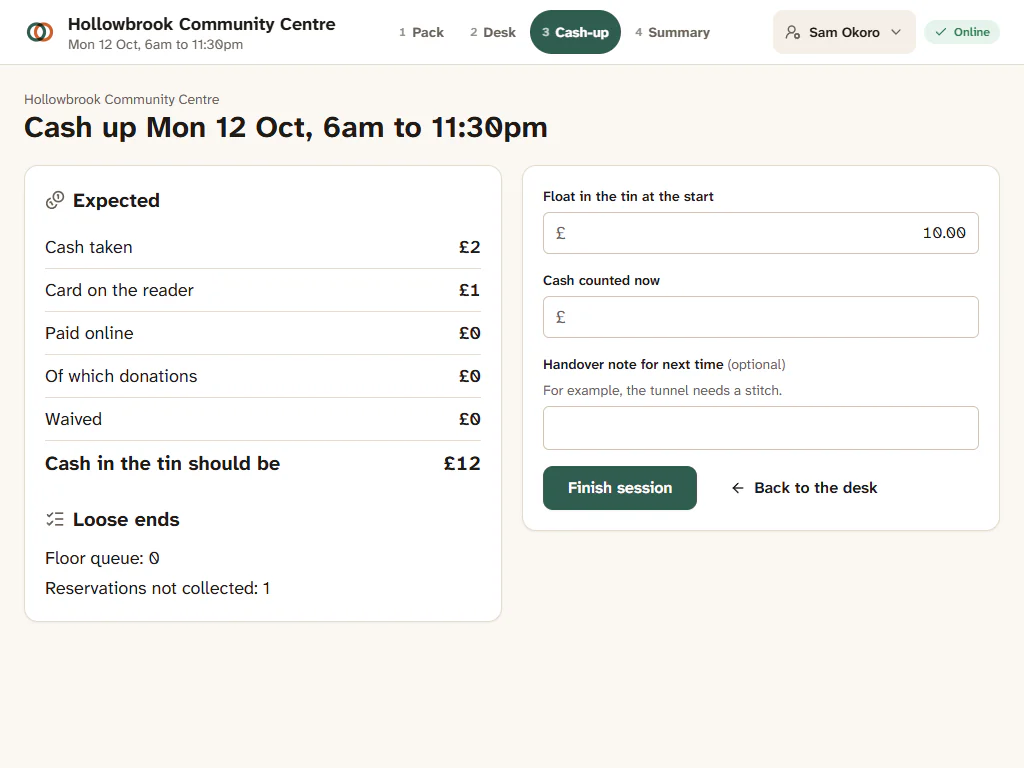
- When the last family has gone, tap Cash-up in the session header (coordinators can press Cash up in the top bar or on Today).
- Read what Gizzago expects, by method: Cash taken, card payments (Card on the reader), Paid online, anything Waived, and Of which donations. It shows Cash in the tin should be a total, including the Float in the tin at the start.
- Count the cash and type it into Cash counted now.
- Check the loose ends: toys still in the Floor queue, and reservations nobody collected.
- Add a Handover note for next time if there is anything the next team should know ("the tunnel needs a stitch").
- Press Finish session.
What you'll see
If the tin matches, it says "The tin matches." If not, it shows how much you are short or over, and asks "The tin does not match. Add a note saying why." Fill in Why is it different? and press Finish session again.
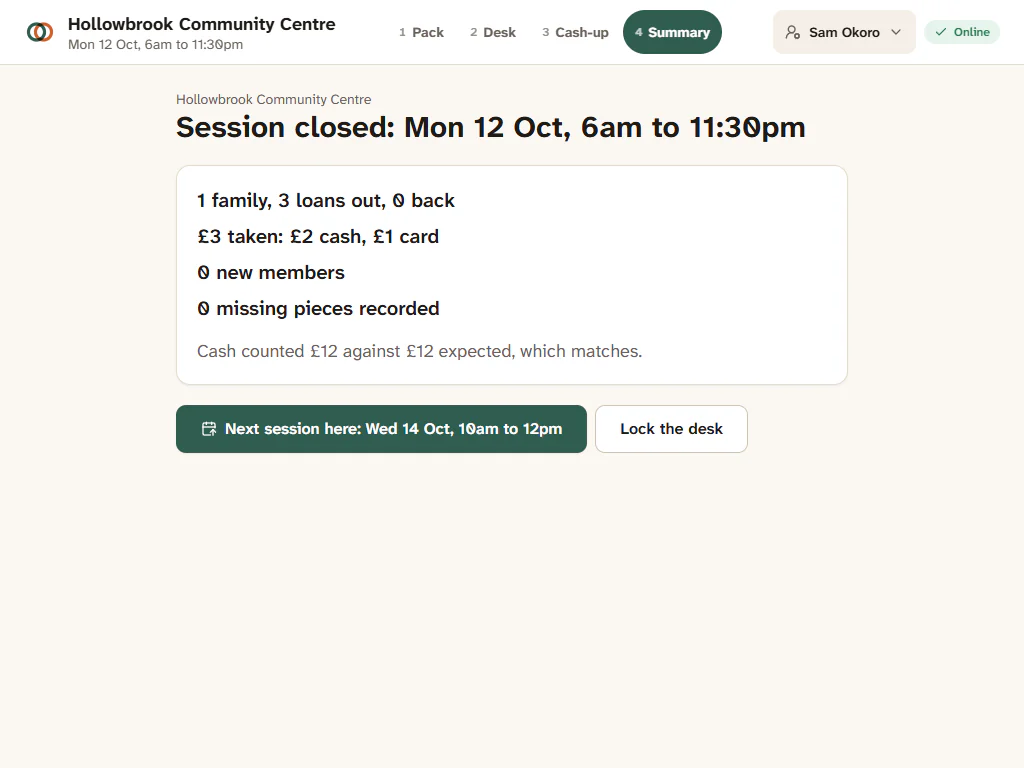
You then see Session closed: four lines about the session (loans, returns, new members, takings), the cash-up, your handover note and the next session at this site. Press Lock the desk when you are done.
After the session
- The summary appears on Today under Last session for the coordinator.
- The treasurer finds every cash-up in Reports > Sessions, with a printable version. See Sessions and cash-ups.
- A difference in the tin is recorded with your note, and listed in the audit log. Nobody is blamed; the note is there so the treasurer understands.
Forgot to cash up?
Today shows Session not closed with a Finish button until someone does it. Cash up as soon as you can, from any device.