Pick lists
Set aside every reserved toy before a session, with one list that tells you where each one lives.
Who can do this: coordinators and admins from Loans. Desk volunteers see the same list on the desk's Pack screen (see Pack for a session).
A pick list covers one session at one site. It is provisional until bookings close (6pm the day before, by default), because members can still add or cancel. After the cut-off it is final, and that is the best time to pick.
Steps
- Press Loans in the sidebar, then the Reservations tab.
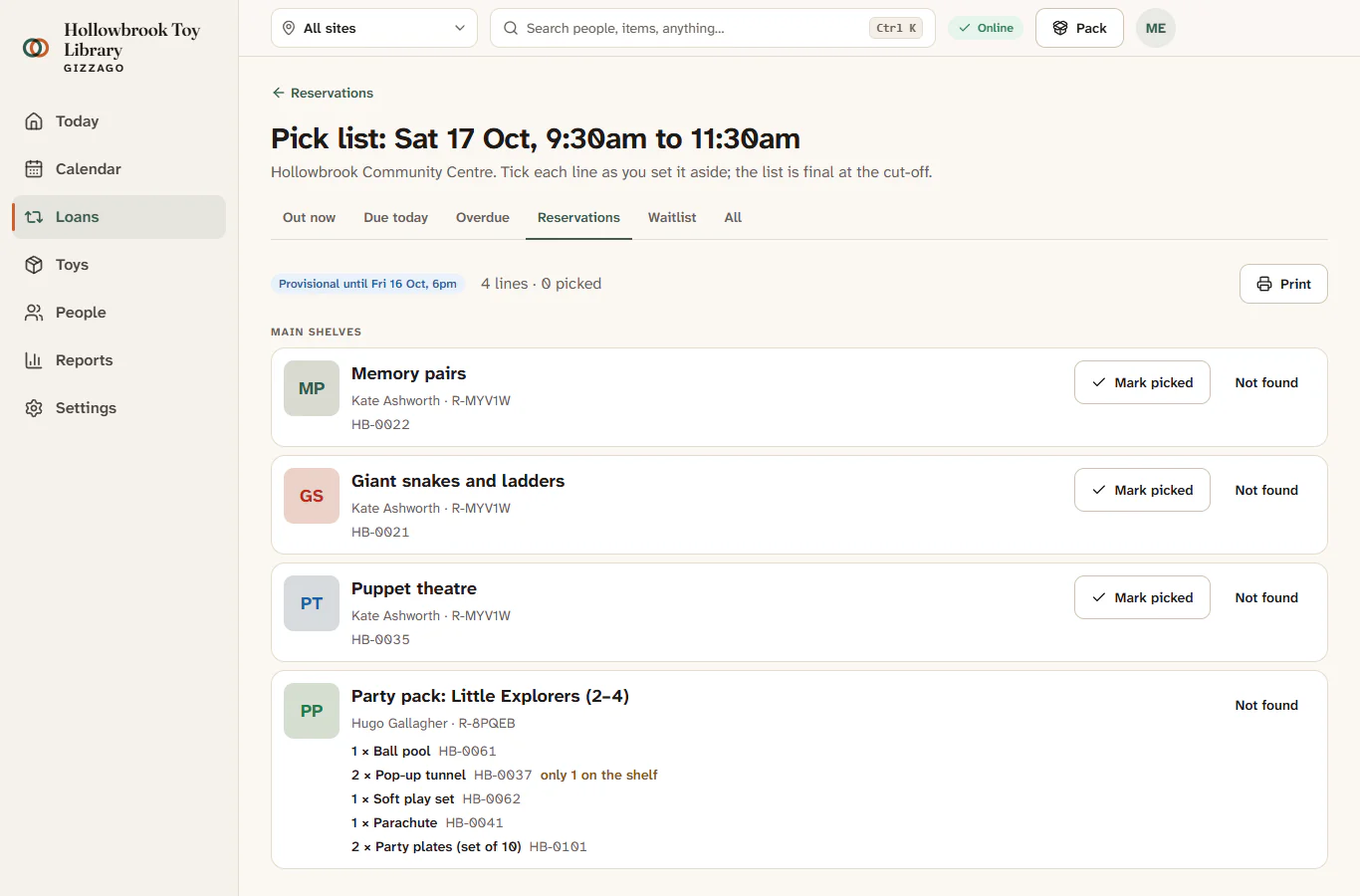
- Press Pick list on the session you are packing for, for example Sat 17 Oct.
- Check the top of the page. Before the cut-off it says Provisional until Fri 16 Oct, 6pm; after it, Final.
- Work down the list. Toys are grouped by where they are stored, so you can go shelf by shelf. Each line shows the photo, code, number of pieces and the member it is for. Kits and party packs list each part with its code.
- When you have a toy in your hand, press Mark picked. The line shows Picked, with Undo if you pressed it by mistake.
- If you cannot find a toy, press Not found. Gizzago asks Not found. What now? Choose:
- Tell the member, to let them know it will not be there;
- Substitute, to use another copy of the same toy;
- Drop it, to take it off the reservation.
- Look at the Due back first section. These toys are reserved but still out on loan, due back before the session. Pick them as they come in.
When every toy on a reservation is picked, the reservation becomes Ready to collect. After the cut-off, the member gets a "Ready to collect" email, once your library's email sending is set up.
Print the list
- Press Print on the pick list.
- A one-page A4 version opens, with a tick box and a QR code on every row.
- Use your browser's Print to print it, or save it as a PDF.
Paper is handy in a store room with poor signal. Remember to tick the lines in Gizzago afterwards so the desk knows what is ready.
Good to know
- Picking does not move any stock. The toy is only lent when it is handed over at the desk.
- A desk volunteer can hand over a whole reservation in one tap when the family arrives (see Hand over reserved toys).