The funder report
Give a funder or your trustees a clear page of real numbers, ready to print or save as a PDF.
Who can do this: coordinators, admins and trustees.
Funders often ask how many families you reached, how old the children were and how much you lent. The funder report answers those questions from your own records, with nothing estimated.
Steps
- Choose Reports in the sidebar, then the Funder report tab. Trustees also have a Funder report link on Today.
- Choose the dates your funder asks about in From and To, for example their grant year, then press Show.
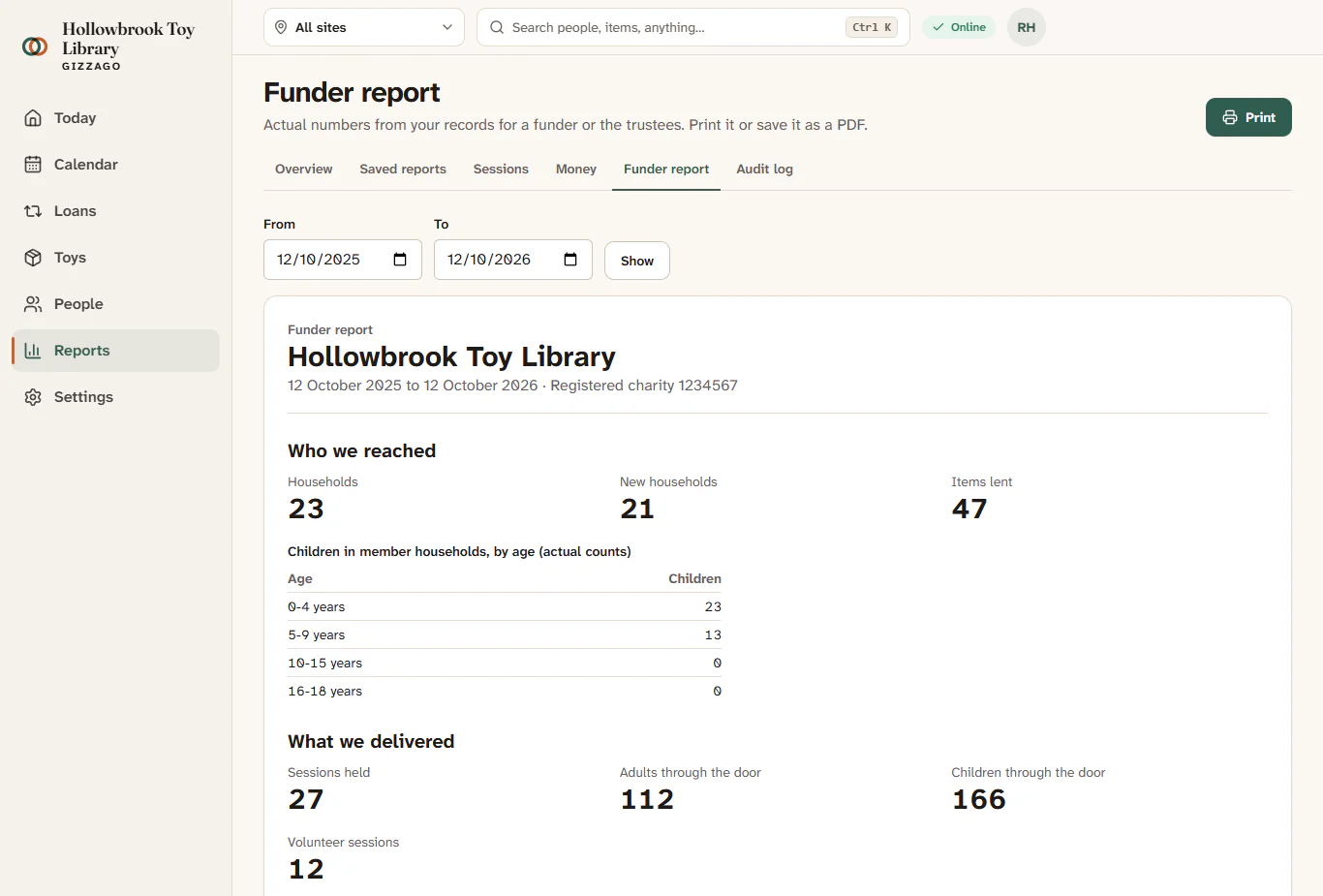
- Read Who we reached:
- Households: households holding a membership at any point in the period.
- New households: those who joined in the period.
- Items lent: the number of loans.
- A table of Children in member households, by age (actual counts).
- Read What we delivered: Sessions held, Adults through the door, Children through the door and Volunteer sessions.
- Read Notes on these numbers. They explain how each figure is counted, so you can quote them with confidence.
- Press Print. To make a PDF, choose "Save as PDF" (or "Microsoft Print to PDF") as the printer in the print window.
What you'll see
A single page headed "Funder report" with your library's name and the period. When printed, the Gizzago menus and buttons are left off, so the page looks like a document.
How the numbers are counted
- Children's ages are worked out on the last day of the period, from the birth month and year families gave when they joined. Children with no birth month recorded are left out of the age table, and a note says how many.
- Small numbers from 1 to 4 are shown as "fewer than 5", so no family can be identified. A count of 0 is shown as 0.
- Volunteer sessions count each time a volunteer worked a session: one person at one session counts once.
- Figures the library does not record, such as money saved by families or carbon saved, are not included.
Tips
- If your funder wants something extra, the Impact report in Saved reports has more detail and can be exported to a spreadsheet.
- How children are recorded is set in People and forms. If you only ask for an age group, the age table is less precise.