Preview, publish or throw away
Try changes safely in a draft, check them, then make them live, or throw them away.
Who can do this: admins only.
Everything you change in Settings, Public site is saved to a draft a moment after you change it. Visitors never see the draft. Your public site only changes when you press Publish changes.
Steps
Check the status
- Choose Settings in the sidebar, then Public site.
- Read the status next to Publish changes at the top:
- "Everything here is live." Nothing is waiting.
- "Saving your draft…" Gizzago is saving.
- "Draft saved. Not live yet." You have changes waiting to publish.
- "Not saved: fix the choice marked in red." A choice needs fixing first.
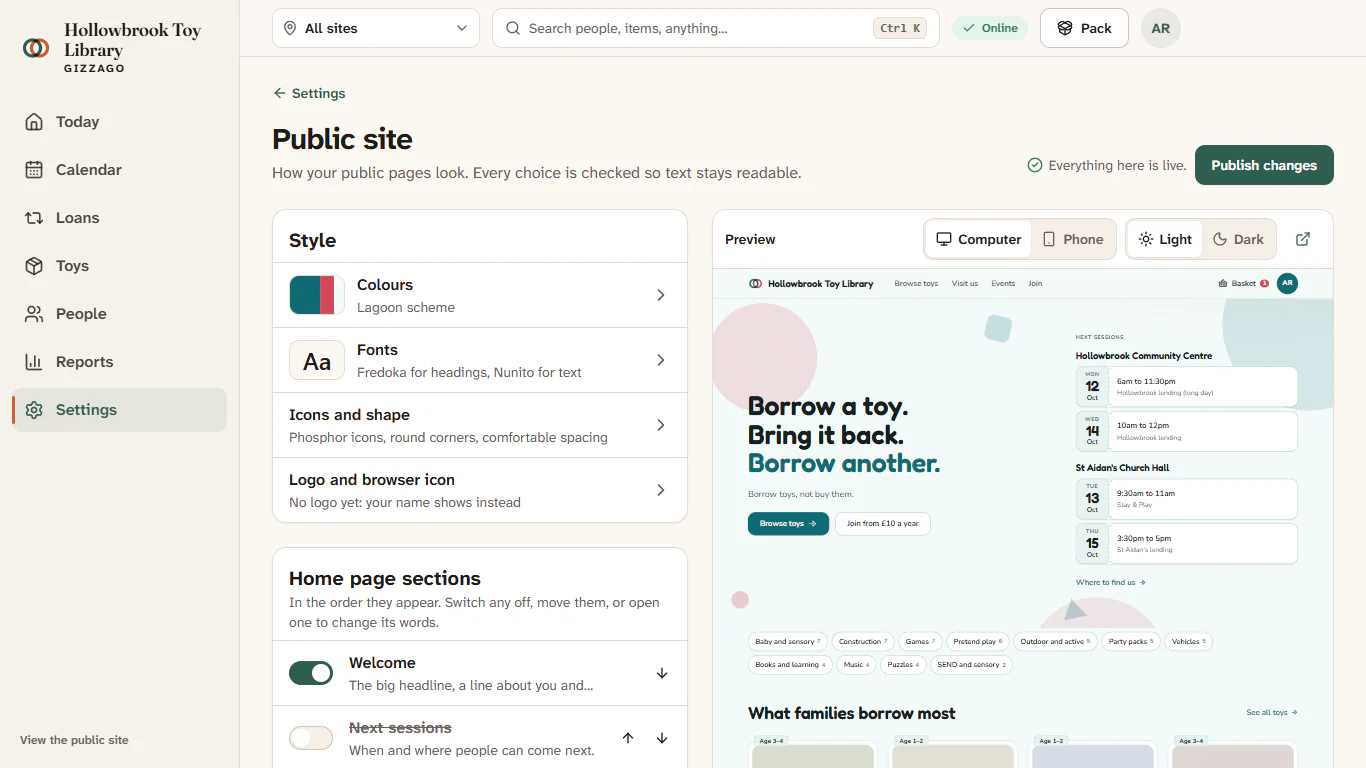
Preview your changes
- Use the bar above the preview to switch between Computer and Phone width.
- Switch between Light and Dark to check dark mode.
- Press the icon that opens the saved draft in a new tab to see it full size. Only admins see the draft there.
On a phone, the editor and the preview are two tabs, Edit and Preview.
Publish
- When you are happy, press Publish changes.
"Your new look is live", and the status reads "Everything here is live." Your public site now shows the new look to everyone. Publishing is recorded in the audit log.
Throw away the draft
- Press Throw away the draft. It only shows while something is unpublished.
- Gizzago asks "Go back to what is live?". Press Throw it away.
You will see "Draft thrown away", and the editor matches your live site again.
Start again with the standard look
- Press Start again with the standard look.
- Gizzago asks "Reset colours, fonts, icons and shape?". Press Start again.
Your pictures and home page sections stay. Then publish if you want the standard look live.
Two settings that save straight away
Website link and availability is not part of the draft. It saves as soon as you press Save these:
- Link to your main website, starting with https://. Gizzago keeps it, but does not show it on your public pages yet.
- Show how many are available, such as "2 of 3 available" on each toy card.