Children
Record the children in a family so Gizzago can suggest the right toys, without keeping more than it needs.
Who can do this: coordinators and admins, from the person's record. Members can add their own children from their account.
Gizzago keeps a child's month and year of birth only, never the day. It works out the child's age band from that, and the band moves up as the child grows. A child's name is not needed. Children are never required: a family can join with none.
Steps
- Press People in the sidebar and search for the family, for example
lindqvist. - Open a person in the household and go to the Household tab.
- Press Add child. A panel opens.
- Choose the Month and year of birth.
- If your library has turned nicknames on, you can type a Nickname. Leave it empty if the family would rather not say.
- Press Add child.
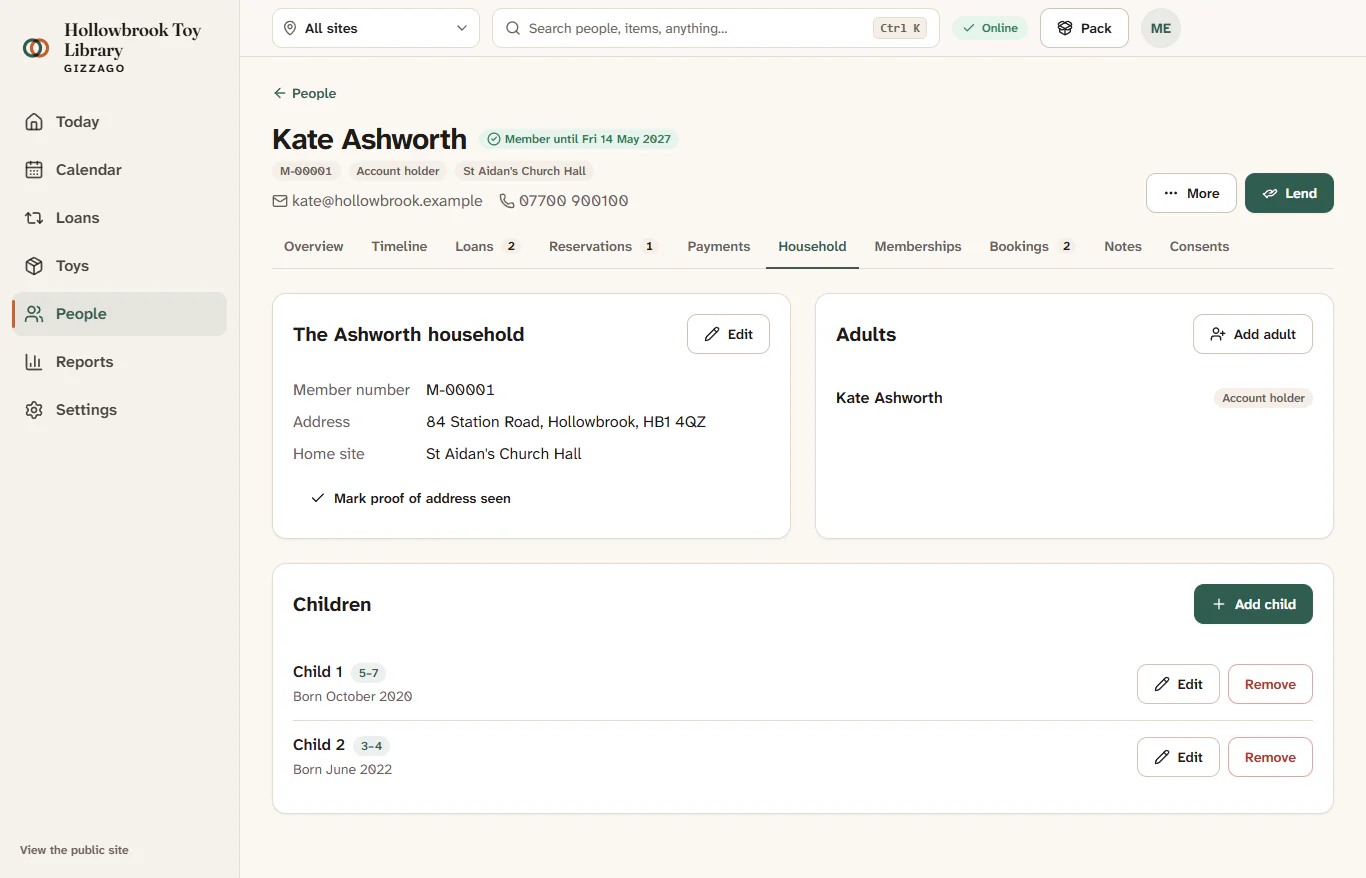
A message says Child added, and the child appears under Children with their age band. The family sees the same child on the Family page of their account.
Change or remove a child
- To correct a month or year, press Edit on the child's row, make the change and press Save child.
- To remove a child, press Remove on the row. Gizzago asks Remove this child? Press Remove again to confirm.
Members adding their own children
A member goes to Family in their account, presses Add a child, chooses the month and year, and presses Save children. They can also do this while joining, or skip it with Skip for now.
Choose what your library asks
An admin chooses this in Settings > People and forms, under Joining form:
- How children are recorded: Birth month and year (best for suggesting toys), An age group only (no birth date at all), or Do not ask about children.
- Ask for a nickname for each child: off by default. If you turn it on, you must fill in Why do you ask?, which families see next to the question.
Child details stay out of CSV exports of your people lists. See Children's data for the reasons behind these rules.